Community activities
How community activities take shape on the Moon
Community activities bring individually owned lunar plots into a shared project. Some form large inscriptions or other patterns on the terrain, but the design, location and scale depend on the activity.
One activity, many lunar plots
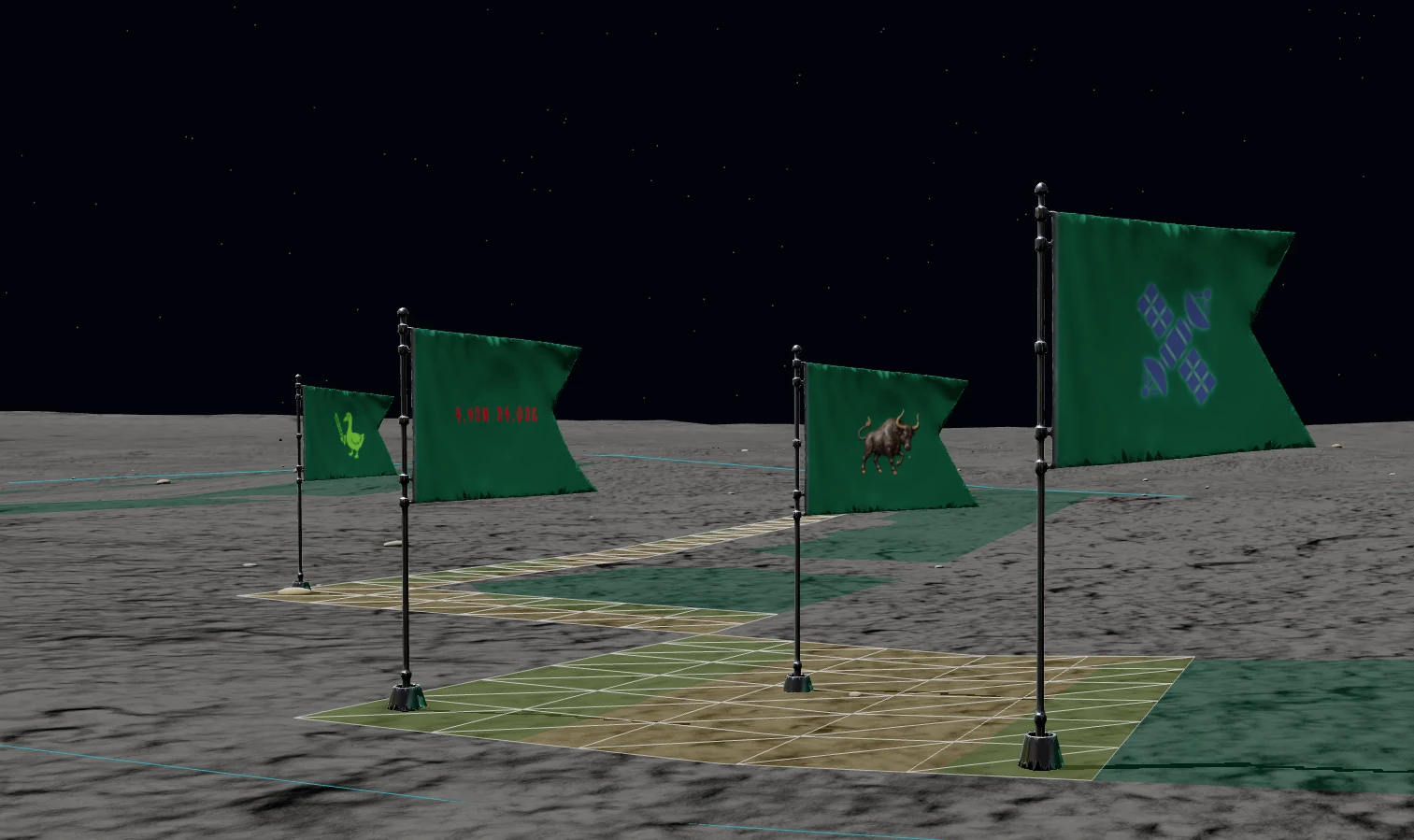
Each activity defines a group of triangular plots at a specific location. Together they create a shared layout that becomes easier to recognise from above.
Participants acquire individual plots within the activity. The plots keep their own coordinates and owners while contributing to the larger project.
- Format
- Shared community project
- Location
- Fixed lunar coordinates
- Participation
- Individual plots
- Progress
- Completed purchases
Finding an activity on the Moon
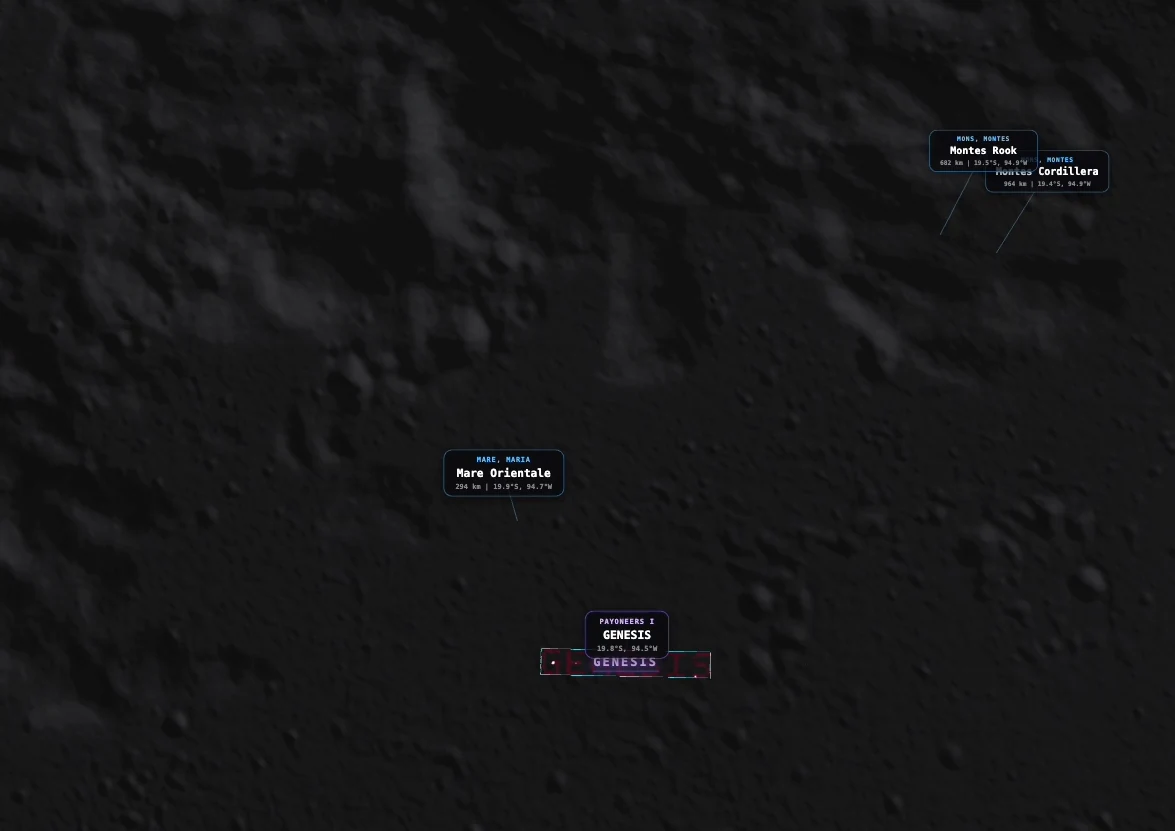
At long range, a beacon and floating label identify the activity and its location before the ground geometry comes into view.
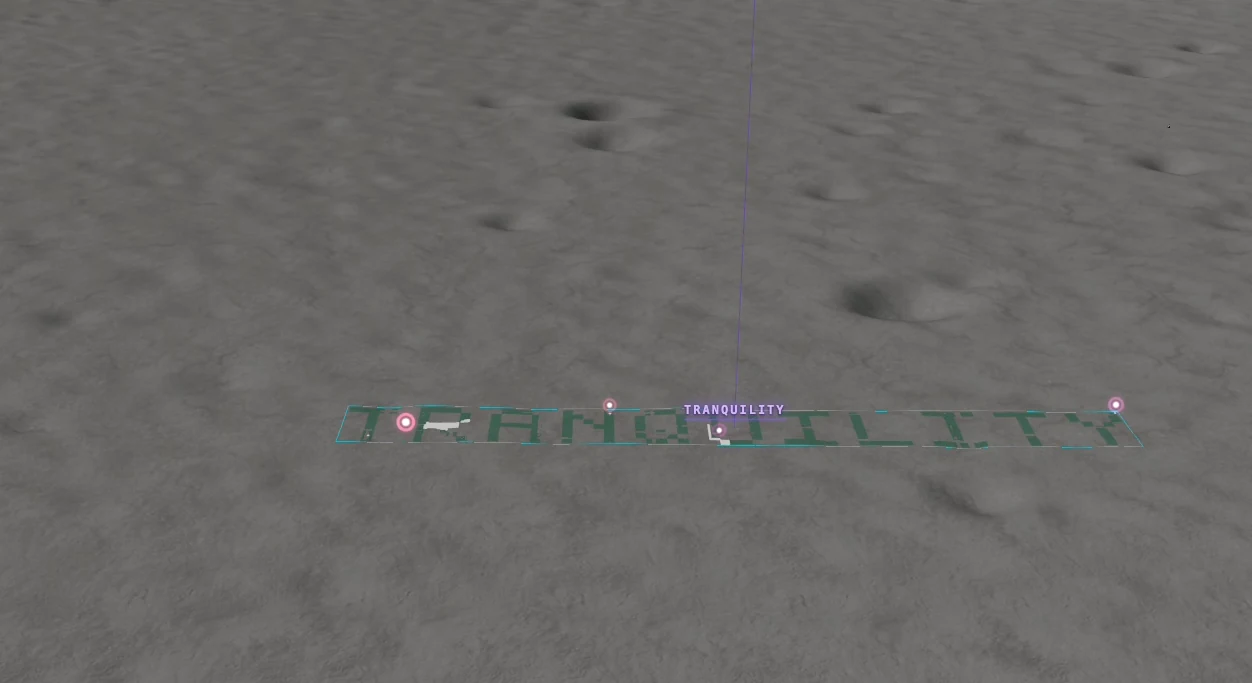
Closer to the surface, the activity overlay follows the lunar relief and shows how its plots are arranged. The label uses the current community and activity names.
Join an activity
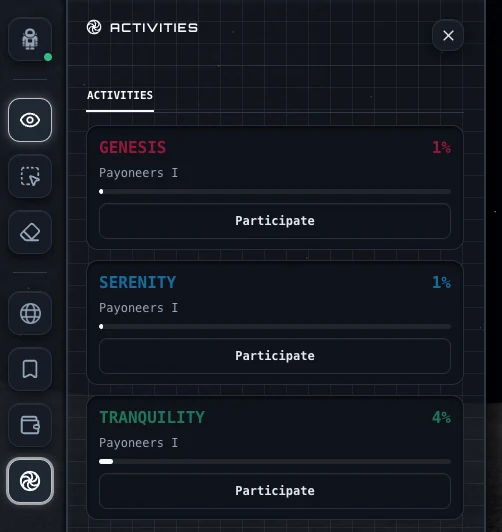
Open the Activities section in your profile and choose Participate. Craterra moves the camera to the activity, with its plots visible on the terrain.
Selection works the same way as elsewhere on the Moon. Use the usual presets or drag controls, then reserve and purchase plots through the standard checkout. A sold plot stays with its owner, and a plot held by another person remains unavailable.
Every purchase moves the progress bar
The activity card shows how much of the project has been acquired. Only completed purchases increase the percentage; temporary reservations do not. Return to the profile to see the current progress.
Plots bought through an activity remain ordinary Craterra plots with their own coordinates and geometry. The certificate states that the plot belongs to the relevant community and activity.